Prototype an Announcement with In-browser Text to Speech
See In-browser Text to Speech turn a fictional workshop announcement into a playable speech clip using SpeechT5. The reel shows the recorded input and genuine generated player; its voiceover is separate from the demo audio.
The useful part
In-browser Text to Speech is featured here for one specific job: speechT5 browser speech generation. This guide focuses on that workflow so you can decide whether it fits your task before trying it.
SpeechT5 browser speech generation
What happened in the demo
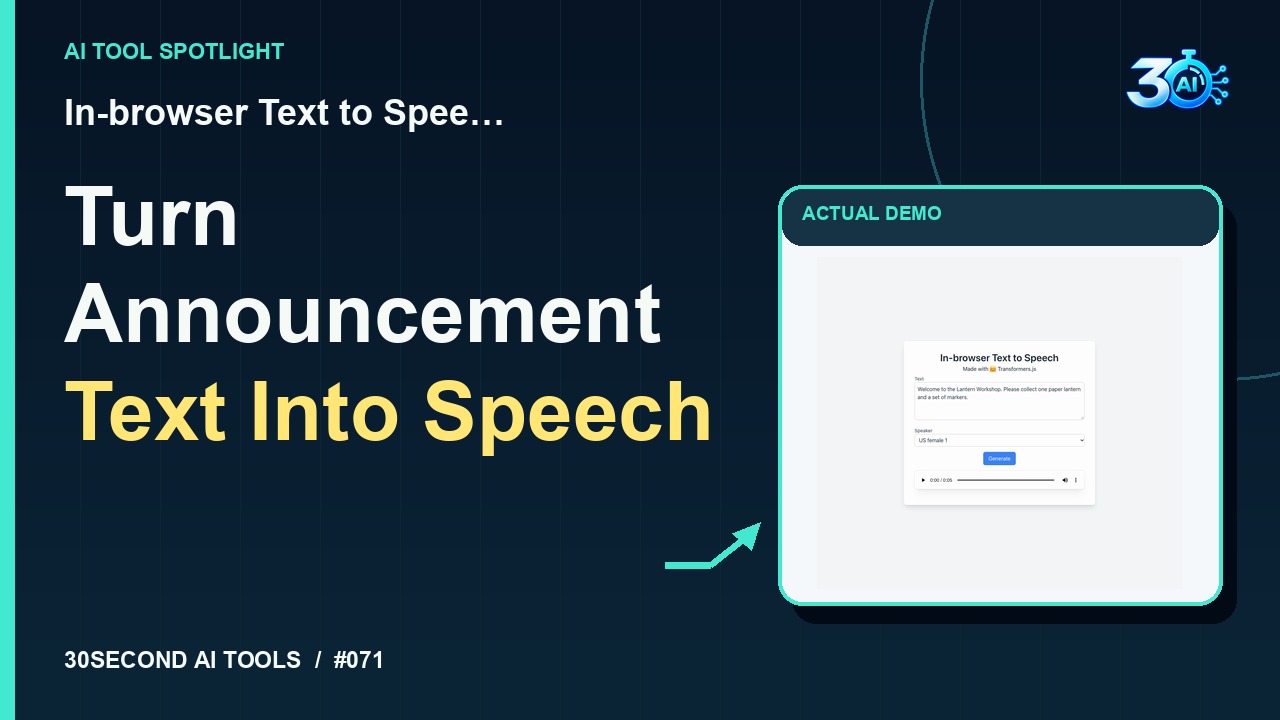
Try In-browser Text to Speech. For this fictional workshop, we entered: Welcome to the Lantern Workshop. Please collect one paper lantern and a set of markers. SpeechT5 generated a playable audio clip right in the browser. Here’s the actual player from that run. It’s a handy way to prototype a short announcement before recording your own version.
The example used in the reel
A small, specific input makes the result easier to inspect. Use the example below to understand the scope of the recorded workflow; it is not a promise that a new run will produce an identical result.
Welcome to the Lantern Workshop. Please collect one paper lantern and a set of markers.
Try it yourself
- Enter the announcement text
- Generate the speech preview
- Listen for pronunciation and pacing
Start with material you own or have permission to use. Save the original and compare it with the output before moving the result into a real project. If the interface has changed, follow the current official instructions linked below.
What to check before using the result
Review names and numbers by ear. A usable preview does not establish redistribution rights for every voice or model.
Keep the task narrow on your first attempt. Check the details that matter to your use case rather than judging only whether the result looks polished. A successful short example is a useful introduction, not a benchmark of the whole product.
Access, free demos & limits
The recorded speech demonstration worked without an account or payment on 2026-10-30. No broader usage allowance is claimed. Check the current model-loading and browser requirements before trying it.
Availability notes refer to the dated demonstration or source check. Features, limits and sign-in requirements can change. Check the official site before starting a larger project.
Visit In-browser Text to Speech ↗Sources & context
- huggingface.co/spaces/Xenova/text-to-speech-client ↗Source checked 2026-10-30
- huggingface.co/spaces/Xenova/text-to-speech-client/blob/main/README.md ↗Source checked 2026-10-30
- huggingface.co/spaces/Xenova/text-to-speech-client/blob/main/index.html ↗Source checked 2026-10-30
This guide expands the channel’s recorded example and the official sources checked for that reel. Generated results are examples, not endorsements or guarantees. Read our editorial policy.
Keep exploring
All tools →
Piano Genie
Maps eight controller buttons to an 88-key piano using a learned model.
Read the guide