Design & images
Semantic Image Search Client
Search an existing photo collection with a natural-language description
Read the guide 30SecondAIToolsTHE PRACTICAL AI FIELD GUIDEWatch the channel ↗
See an original 160 × 120 flowerpot illustration enlarged to a verified 640 × 480 PNG with Bigjpg. The actual downloaded result is shown in a local image viewer. AI-inferred edges should be reviewed before use. Free-plan limits apply. Official tool: https://bigjpg.com/
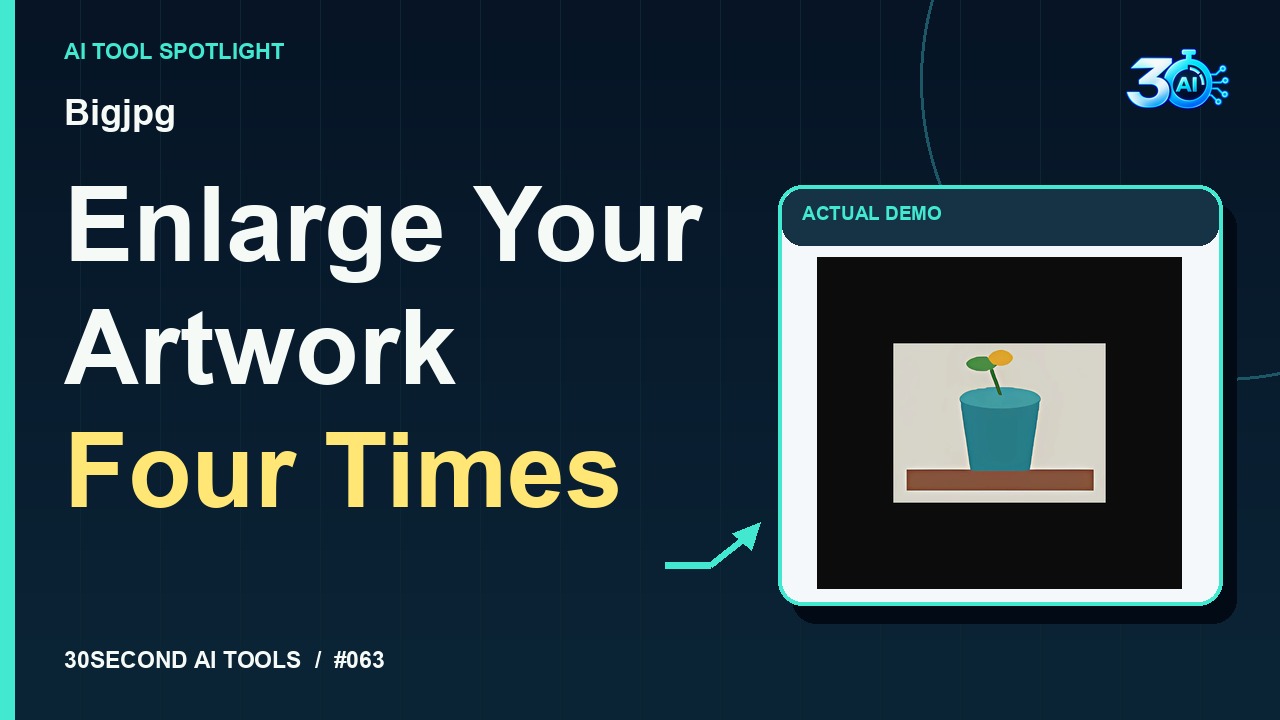
Bigjpg is featured here for one specific job: free 4x artwork enlargement. This guide focuses on that workflow so you can decide whether it fits your task before trying it.
Free 4x artwork enlargement
Bigjpg can enlarge it for free. This original flowerpot illustration starts at just 160 by 120 pixels. The recorded settings are Artwork, four times enlargement, no noise reduction, and PNG. Here’s the actual downloaded result: 640 by 480 pixels, shown in a local image viewer. Those edges are AI inferred, so inspect them before using your image.
A small, specific input makes the result easier to inspect. Use the example below to understand the scope of the recorded workflow; it is not a promise that a new run will produce an identical result.
Upload the channel-owned original_vase_160.png, 160 by 120 pixels. Choose Artwork, 4x enlargement, no noise reduction, PNG. Start free processing, download the real completed result, and inspect the actual downloaded image.
Start with material you own or have permission to use. Save the original and compare it with the output before moving the result into a real project. If the interface has changed, follow the current official instructions linked below.
Check the result at its intended display or print size. Upscaling may smooth small details.
Keep the task narrow on your first attempt. Check the details that matter to your use case rather than judging only whether the result looks polished. A successful short example is a useful introduction, not a benchmark of the whole product.
Checked 2026-10-29: Bigjpg's official Free Plan lists 20 pictures per month, a 5MB maximum upload size, up to 4x enlargement, and slow processing on shared servers. The recorded example confirms this demonstration completed without login or payment.
Availability notes refer to the dated demonstration or source check. Features, limits and sign-in requirements can change. Check the official site before starting a larger project.
Visit Bigjpg ↗This guide expands the channel’s recorded example and the official sources checked for that reel. Generated results are examples, not endorsements or guarantees. Read our editorial policy.
Search an existing photo collection with a natural-language description
Read the guide